Payments
Payment References
Last updated
Direct answer
Every bank-payment order has a unique reference that links the incoming NZD payment to that order.
Copy it exactly into your bank's reference field and do not reuse it for a different order or recurring plan.
Find your reference, permalink
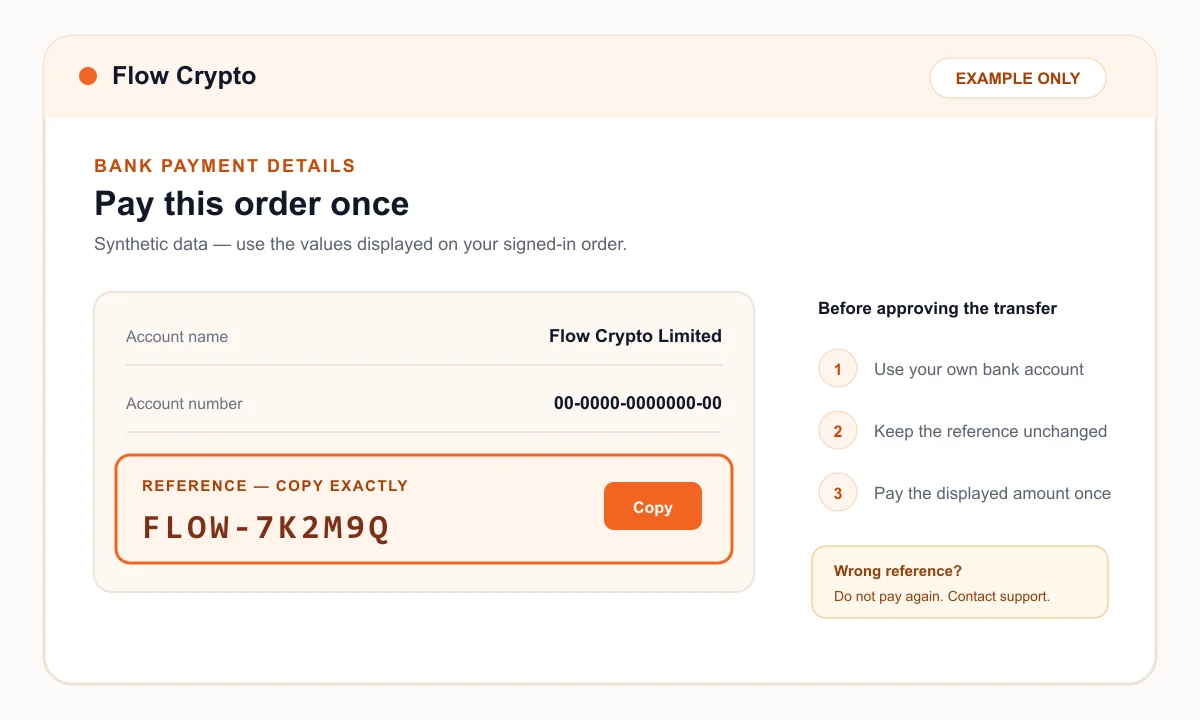
After selecting Bank Deposit, open the payment instructions for the order. The reference is visually highlighted beside the recipient account name and number.
The example below uses synthetic data. Your real reference and account details will be different and must come from your signed-in order.
Enter it correctly, permalink
- 1Use the bank field labelled Reference where one is available.
- 2Paste the complete code without adding an order description or another person's name.
- 3Check the final characters before approving the transfer.
- 4Save the bank confirmation until the order is complete.
If the reference was wrong or missing, permalink
Do not send a second payment simply to correct the reference. Contact support so the original payment can be investigated and, where possible, matched safely.
Provide the Flow Crypto order reference, exact NZD amount, payment date and your bank's transaction reference. Do not send online-banking credentials or one-time codes.