
Bitcoin with NZD
Buy Bitcoin in New Zealand. Keep it yours.
Pay in NZD and receive BTC directly in a Bitcoin wallet you control. Clear steps, local support, no exchange balance to manage.

Bitcoin illustration · Flow Crypto
FSPR registered
FSP1012783
New Zealand owned
Local support when you need it
Non-custodial delivery
Bitcoin goes to your wallet
From NZD to Bitcoin in three clear steps.
Review your quote and wallet details before you confirm. Then follow that order’s payment instructions exactly.
Step 1
Create and verify
Open your Flow account and complete the identity checks shown in your dashboard.
Step 2
Choose BTC and your wallet
Enter an NZD amount, then add a Bitcoin address from a wallet you control.
Step 3
Pay once, then track
Follow the payment amount and reference exactly. We send BTC to your wallet.
One wallet check matters most.
Use a Bitcoin address from a wallet you control. After pasting, compare the first and last characters and confirm the order says Bitcoin Network.
- Your own wallet
- Complete address checked
- Bitcoin Network confirmed
Important: Bitcoin transfers are generally irreversible. Never use an address supplied by an investment promoter or remote-support caller, and do not pay again while a payment attempt is unresolved.
Bitcoin prices can move sharply. Buying Bitcoin involves market and self-custody risk and is not financial advice or a guarantee of value.
Bitcoin
BTC
- Network
- Bitcoin Network
- Wallet address
- bc1q••••••9xk2
Before your first order
What to know before buying Bitcoin.
What happens after I register?
Confirm your email, complete your profile and the identity checks requested in your dashboard. Then open Buy / Sell, choose Buy and select Bitcoin. Have your own NZD bank account and a compatible receiving wallet ready.
Check verification requirementsWhat is the minimum purchase?
Minimum buy: NZ$50. Asset and network minimums may be higher. Enter your amount to check the current quote, and use the remaining account limits shown in your dashboard.
Understand account limitsHow do I pay, and where can I check fees?
An order can show manual bank deposit, POLi or Akahu Open Banking. Use only the methods currently displayed for that order. Pay from an account in your verified name, using the exact amount and reference provided.
Read Flow Crypto’s fees before you start and review your quote before confirming. See payment guidance for the next steps.
When will BTC reach my wallet?
Delivery begins after payment is confirmed, the trade is executed and any required checks are complete. Bank processing, market availability, provider status and blockchain congestion can all affect the time. Follow the order activity instead of relying on a fixed delivery estimate.
Understand your order statusWhich network should my wallet use?
Bitcoin purchases use Bitcoin Network. Use an on-chain Bitcoin receiving address, not a Lightning invoice. Check the full receiving address and the network shown on the order before confirming.
If you later want to cash out, read how to sell crypto for an NZD bank payout. Check the assets and networks currently offered under Sell before making a deposit.
Product walkthrough
A Bitcoin order, on screen.
Choose Bitcoin and enter an NZD amount in Buy / Sell. Review the quote, then check your wallet and payment instructions. The screenshot uses demonstration data; your order shows the current details.
Create an account to buy BTC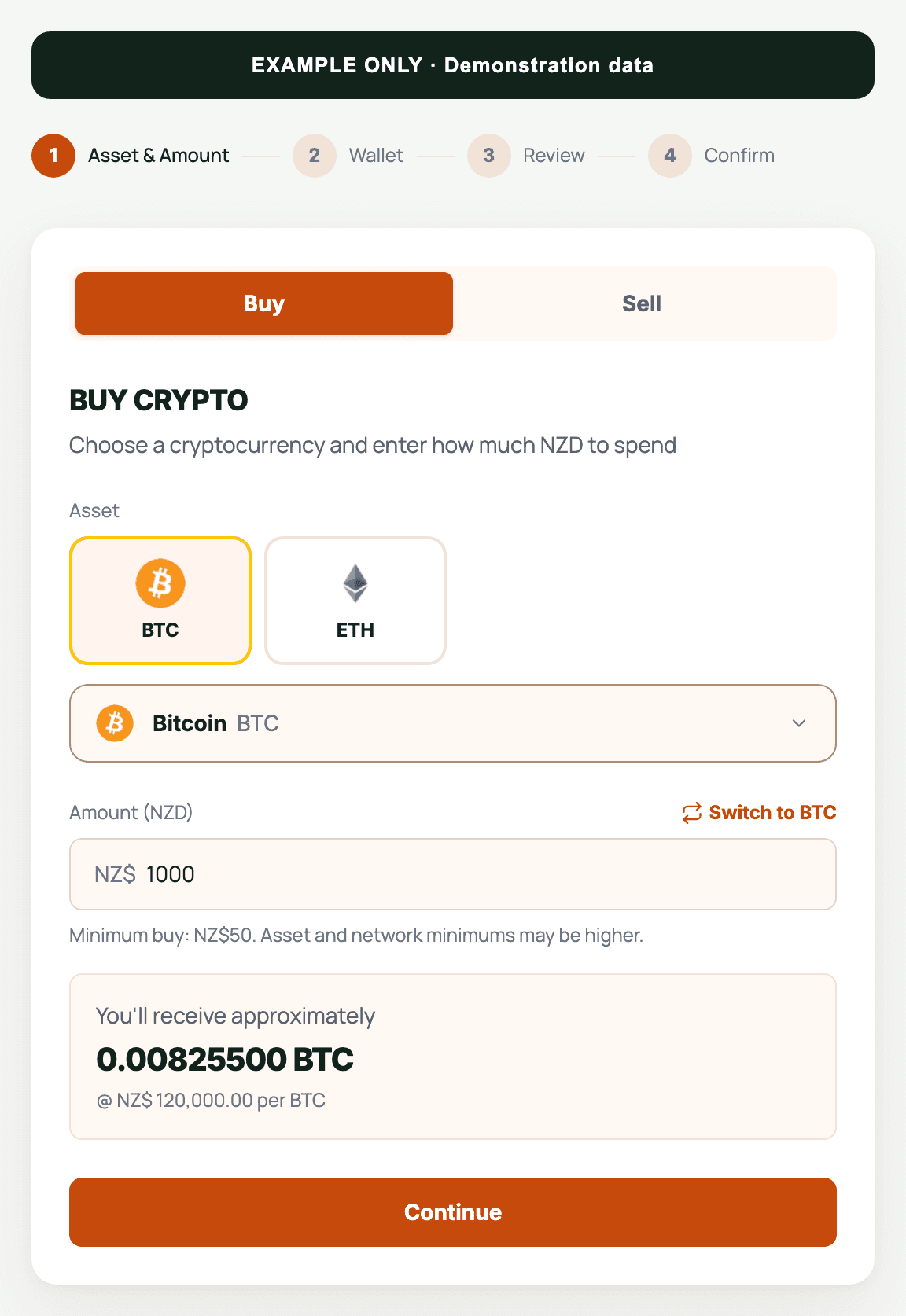
Plan your next step
- Explore coin buying guides
- Fees
- Verification requirements
- Choosing a wallet
- Track an order
- Sell crypto for NZD
By Flow Crypto Team. Updated .