Beginner's guide to wallets
What wallet should I use?
Choose a wallet by deciding who should control the keys, which assets and networks it must support, and how much security you need.
Start with the short answer- Author
- Flow Crypto Team
- Updated
- Estimated reading time
- 9 min read

- Who controls the keys?
- Decide whether you want direct control or provider-managed access.
- What must it receive?
- Confirm the exact asset and network before choosing a wallet.
- How will you recover it?
- Understand the backup process before placing funds in the wallet.
The short answer
Start simple.
For most beginners, a reputable self-custody software wallet that clearly supports the asset and network they plan to use is a practical place to start.
Consider a hardware wallet for larger or long-term holdings, and choose only after checking network support, recovery options, security history and the official source of the wallet app or device.
On this page
Start with how you will use the wallet, permalink
There is no single wallet that is best for every person. A wallet for holding Bitcoin for several years has different priorities from one used for regular swaps, small purchases or decentralised applications.
Before comparing brands, write down which assets and networks you need, how often you expect to transact, the approximate value you plan to hold and whether you are prepared to manage a recovery phrase yourself. Those answers determine the right wallet category more reliably than a popularity ranking.
- For a first purchase or a smaller working balance, simplicity and clear receive instructions may matter most.
- For larger or long-term holdings, keeping signing keys away from an internet-connected device may matter more than convenience.
- For frequent Web3 use, compatibility may matter, but a separate wallet for everyday activity can limit what is exposed if a site or approval is malicious.
- For several different blockchains, decide whether one multi-asset wallet is sufficiently clear or whether separate, network-specific wallets are safer for you to operate.
Choose who controls the keys, permalink
A self-custody wallet gives you control of the private keys. No wallet company, exchange or Flow Crypto support agent can restore access if both the device and recovery backup are lost. Self-custody also means nobody should ever need your seed phrase or private key.
A hosted or custodial wallet is an account where a provider controls the keys and credits crypto to your account. This can offer an account-recovery process, but access depends on the provider, its policies and its continued operation. The provider may pause deposits, change supported networks or require a memo or destination tag.
| Wallet type | Usually suits |
|---|---|
| Self-custody software wallet | People who want direct control, convenient access and responsibility for their own recovery backup. |
| Self-custody hardware wallet | People prioritising stronger key isolation for larger or long-term holdings and willing to manage a separate device. |
| Hosted or exchange wallet | People who prefer provider-managed access and accept the provider's custody, deposit rules and account restrictions. |
Software wallet or hardware wallet, permalink
A software wallet runs on a phone, computer or browser. It is convenient and often free, but its security depends heavily on the device, the authenticity of the app and your ability to recognise phishing or malicious approvals.
A hardware wallet keeps key operations on a dedicated device and normally requires physical confirmation. It can reduce exposure to malware on a phone or computer, but it does not protect against every mistake. A fake address, a malicious transaction, a compromised recovery phrase or buying a tampered device can still lead to loss.
Many people use both: a hardware wallet for savings and a separate software wallet with a limited balance for regular activity. Keeping the roles separate can reduce the amount exposed to everyday apps and websites.
Hardware wallet brands to consider, permalink
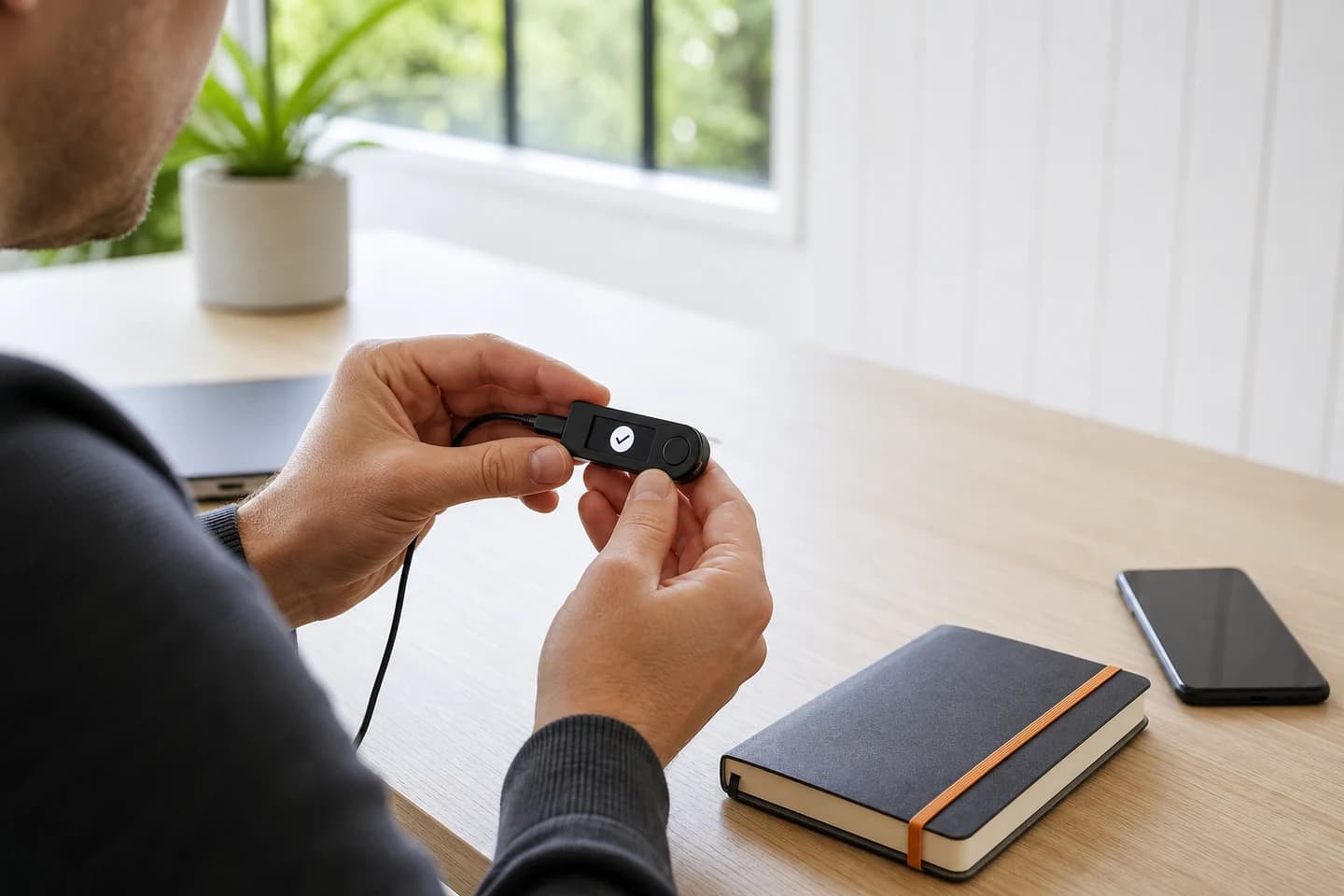
Trezor, Ledger and BitBox are established hardware wallet brands worth comparing. They differ in supported assets, companion apps, mobile compatibility, connection methods, backup options and price.
Use the official links below, then check the exact model against the manufacturer's current asset list before buying. Flow Crypto is not affiliated with these providers and cannot support, replace or recover a third-party device.
- TrezorA strong general option with Bitcoin-only firmware choices and multi-asset support. Check which assets work directly in Trezor Suite and which require another wallet app.
- LedgerA broad multi-asset option with several device formats and wide third-party wallet compatibility. Compare connection and mobile support by model.
- BitBoxA focused option available in Bitcoin-only and Multi editions. The Multi edition supports a smaller asset set than some general-purpose devices.
Software wallets to consider, permalink
Choose software by network and device rather than installing the first wallet in an app-store search. The following self-custody wallets are useful starting points, not a guarantee or a complete list.
Download only through each official website. Check the wallet's current network documentation before creating a Flow Crypto order because supported chains and features can change.
- BlueWalletA practical mobile option for Bitcoin users who want a focused receive and send experience.
- Sparrow WalletA Bitcoin desktop wallet suited to users who want detailed transaction control, privacy options and hardware wallet integration.
- Rabby WalletA browser, desktop and mobile option focused on Ethereum and other EVM-compatible networks, with transaction previews for Web3 activity.
- MetaMaskA widely supported browser and mobile wallet for Ethereum, EVM-compatible networks and decentralised applications.
- PhantomA user-friendly option for Solana that also supports a defined set of other networks. Confirm the current network list before use.
- Trust WalletA broad multi-chain mobile and browser option for users who prefer to manage several networks in one wallet.
Check the asset and network, not just the coin name, permalink
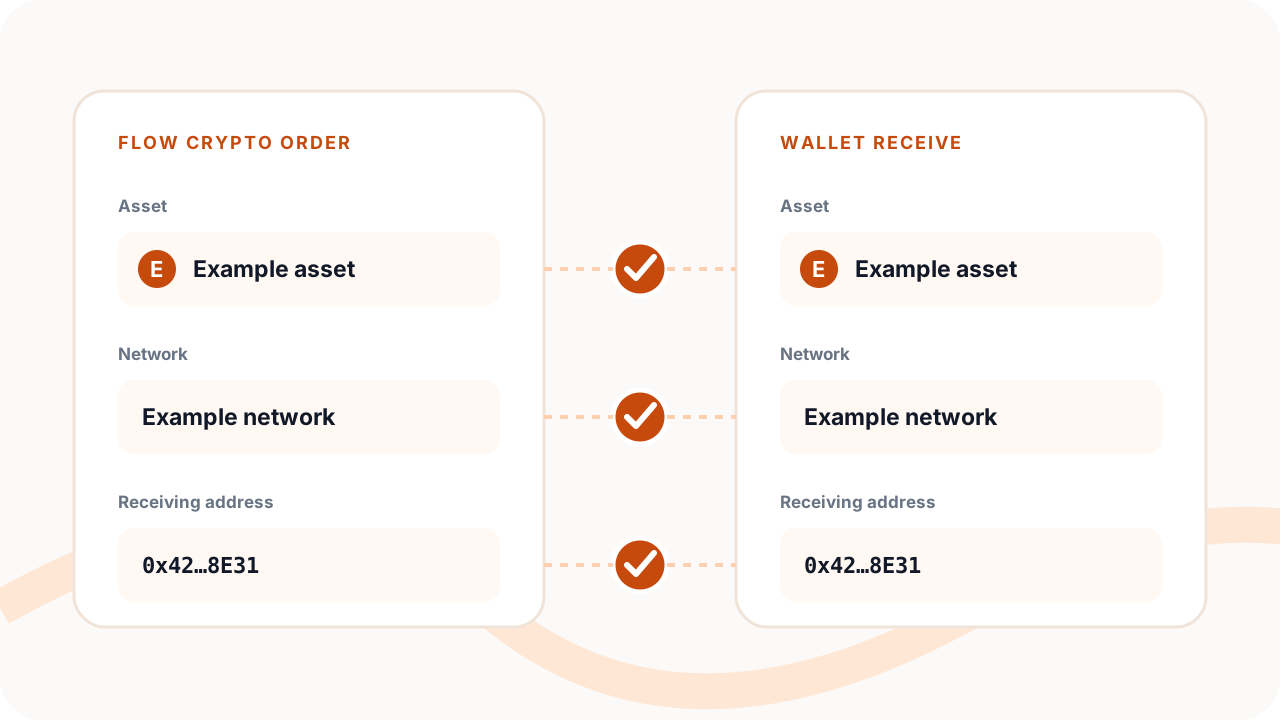
The wallet must support the exact asset on the exact network selected in your Flow Crypto order. An asset can exist on several networks, and some networks use addresses that look alike even though their balances are separate.
Check the wallet provider's current receive instructions before ordering. Confirm whether it supports the network, whether the asset must be added manually, whether a minimum deposit applies and whether a memo, tag or payment ID is required. Do not assume support because the wallet displays the asset name or accepts a similar address format.
- 1Find the asset and network in Flow Crypto's supported-assets directory.
- 2Open the wallet's official documentation or receive screen for that same asset and network.
- 3Confirm that deposits are currently enabled and note any memo, tag, minimum or account-crediting rule.
- 4Generate the receiving address inside the wallet and compare the network again before using it in an order.
How to evaluate a wallet provider, permalink
A polished website or a high app-store ranking is not enough. Look for evidence that the wallet is maintained, that security issues are handled openly and that you can understand the recovery process before placing funds in it.
- Official support for every asset and network you expect to receive.
- A clear custody model that explains who controls the private keys and what recovery can and cannot do.
- A long enough operating history to research security incidents, update practices and how the team responded to problems.
- Independent security reviews or open-source code where available, while recognising that neither is a guarantee of safety.
- An official website that links directly to genuine app-store listings, downloads, documentation and support channels.
- Security features appropriate to the wallet type, such as local encryption, transaction verification, secure backups and hardware confirmation.
- Usable receive screens that show the full asset, network, address and any required memo or tag without ambiguity.
- A recovery process you can test and follow without giving secrets to another person.
Set up the wallet safely, permalink
- 1Start from the provider's official website and follow its link to the correct app store, software download or authorised hardware seller.
- 2Use a device you trust, install current security updates and check the publisher before installing anything.
- 3Create a new wallet yourself. Never use a wallet, seed phrase or private key supplied by another person.
- 4Write down the recovery words exactly as the wallet instructs and store the backup offline in a private, durable location.
- 5Do not photograph, email, message, print through a shared printer or save the recovery phrase in ordinary cloud notes.
- 6Enable the wallet's access controls, then learn how to verify the receive address and transaction details on the trusted device.
- 7Consider a small test transfer before moving a material amount, while accounting for network fees and any receiving minimum.
Separate storage from everyday use, permalink
Connecting a wallet to websites and approving tokens or smart contracts creates risks that do not apply to simply receiving and holding an asset. If you use decentralised applications, consider keeping a limited balance in a separate activity wallet and avoid connecting a long-term storage wallet unnecessarily.
Review every transaction on the wallet itself, revoke approvals you no longer need where the network supports that process and treat unexpected signature requests as suspicious. A transaction can be harmful even when it does not appear to send crypto immediately.
Before using the wallet with Flow Crypto, permalink
- 1Open the receive screen in the wallet rather than copying an address from an old message or transaction history.
- 2Select the same asset and network in the wallet and in the Flow Crypto order.
- 3Copy the complete address and any required memo or tag, then check the first and last characters after pasting.
- 4Confirm that you control the wallet or account and that a hosted provider permits the deposit type.
- 5Review every order field before confirming because a completed blockchain transfer is generally irreversible.
Example: buy Bitcoin with NZD and receive it in your wallet, permalink
This walkthrough starts with a Bitcoin wallet you have already set up and control. It does not require connecting the wallet to Flow or sharing its recovery phrase.
- 1Complete your Flow account and identity verification, then choose Buy and Bitcoin in Buy / Sell.
- 2Enter your NZD amount. Minimum buy: NZ$50. Asset and network minimums may be higher; check the quote and your available account limits.
- 3Open the Bitcoin receive screen in your wallet. Use Bitcoin Network and an on-chain address, not a Lightning invoice.
- 4Paste the address into your Flow order and compare the complete address with the trusted wallet screen before confirming.
- 5Choose an available payment method and follow the exact NZD amount, recipient and reference shown on that order.
- 6Track the order while payment, execution and required checks complete. Once sent, check the incoming transaction in your own wallet.